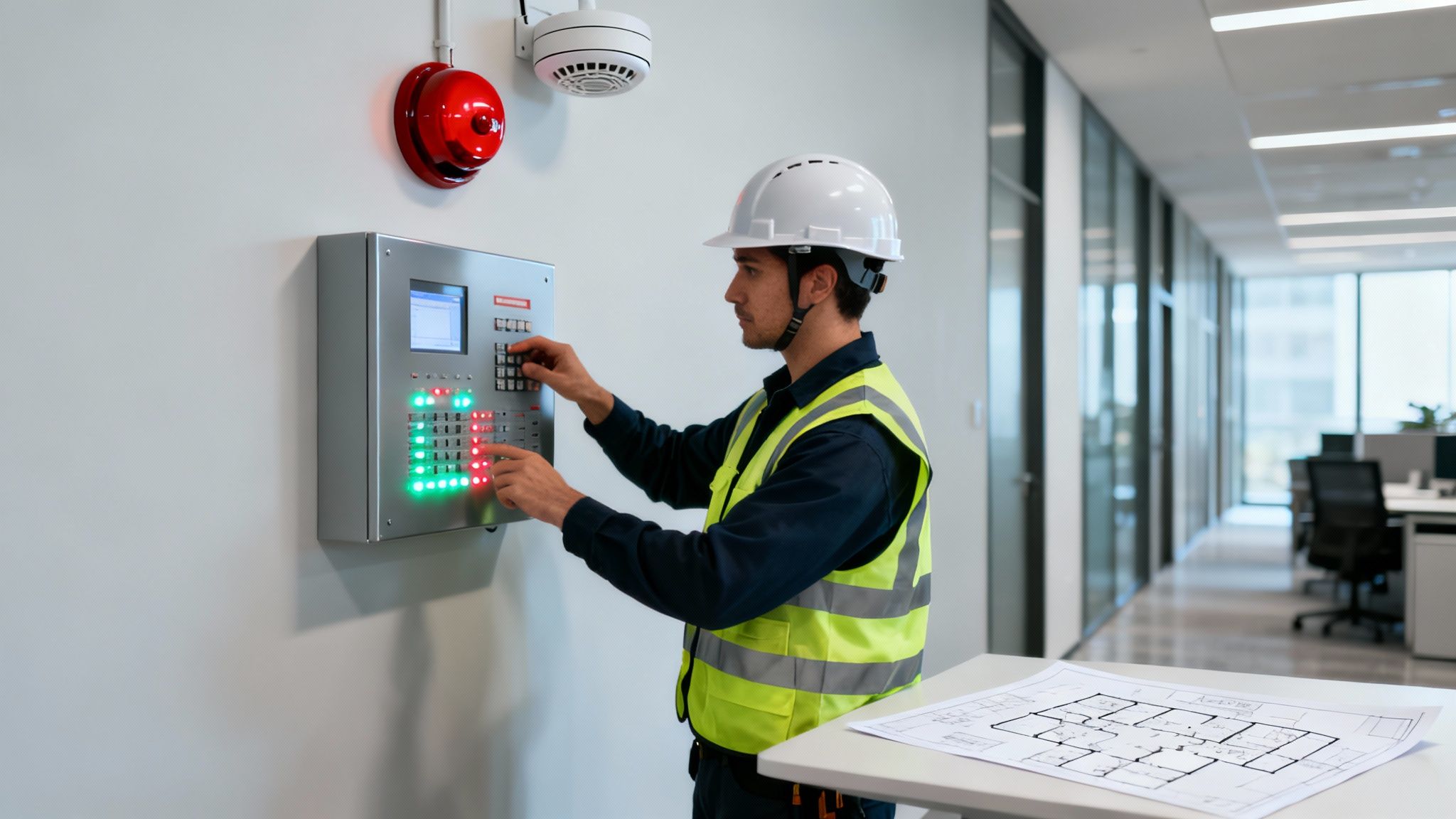
A successful access control system installation is built on a foundation of smart planning, long before you even think about the hardware. This early stage is where you get to grips with what real security looks like for your site, making sure every lock, reader, and controller has a clear purpose.
Your Blueprint for a Flawless Installation
Before a single cable is pulled or a reader is fixed to a wall, you need a thorough site survey and a crystal-clear set of requirements. This isn't just a box-ticking exercise of counting doors; it's about deeply understanding the rhythm of your building. A rushed plan will inevitably leave you with security holes and expensive fixes down the line.
The first job is to walk the site and analyse the premises in detail. The aim is to go beyond a static floor plan and map out how people actually move around. Where do staff gather? What are the typical visitor routes? Pinpointing these patterns is how you identify high-risk areas—like server rooms, stockrooms, or executive suites—that need tighter control.
Defining Security Zones and Access Levels
Once you have a feel for the flow, you can start carving the building up into logical security zones. It's obvious when you think about it: a public reception area has completely different security needs from a restricted data centre.
This is a team effort and needs input from the people who know the building best:
- Facilities Managers: They have the practical knowledge of how the building works, where existing services run, and where the physical weak spots are.
- IT Department: Their involvement is non-negotiable. They'll advise on network capacity, potential integrations, and crucial cybersecurity protocols.
- Human Resources: HR is key to defining the roles and hierarchies that will form the basis of your access levels.
The goal here is a clear framework of who can go where, and when. For instance, full-time staff might get 24/7 access to their main work areas, but the contract cleaning team might only have access to specific floors between 8 pm and 11 pm.
A well-defined blueprint does more than just secure doors; it creates an operational framework that enhances efficiency and safety. By anticipating future growth and operational changes, you ensure your access control system remains an asset, not a liability.
Turning these operational needs into a technical design is where experience really counts. This is why professional security consultancy and design, which you can learn about here https://amaxfireandsecurity.co.uk/security-consultancy-design/, is so valuable. It’s also worth remembering that the scope of security work can be broad, and many projects will involve comprehensive locksmith services for the physical door hardware and locking mechanisms.
The simple three-stage process for effective planning is outlined below.
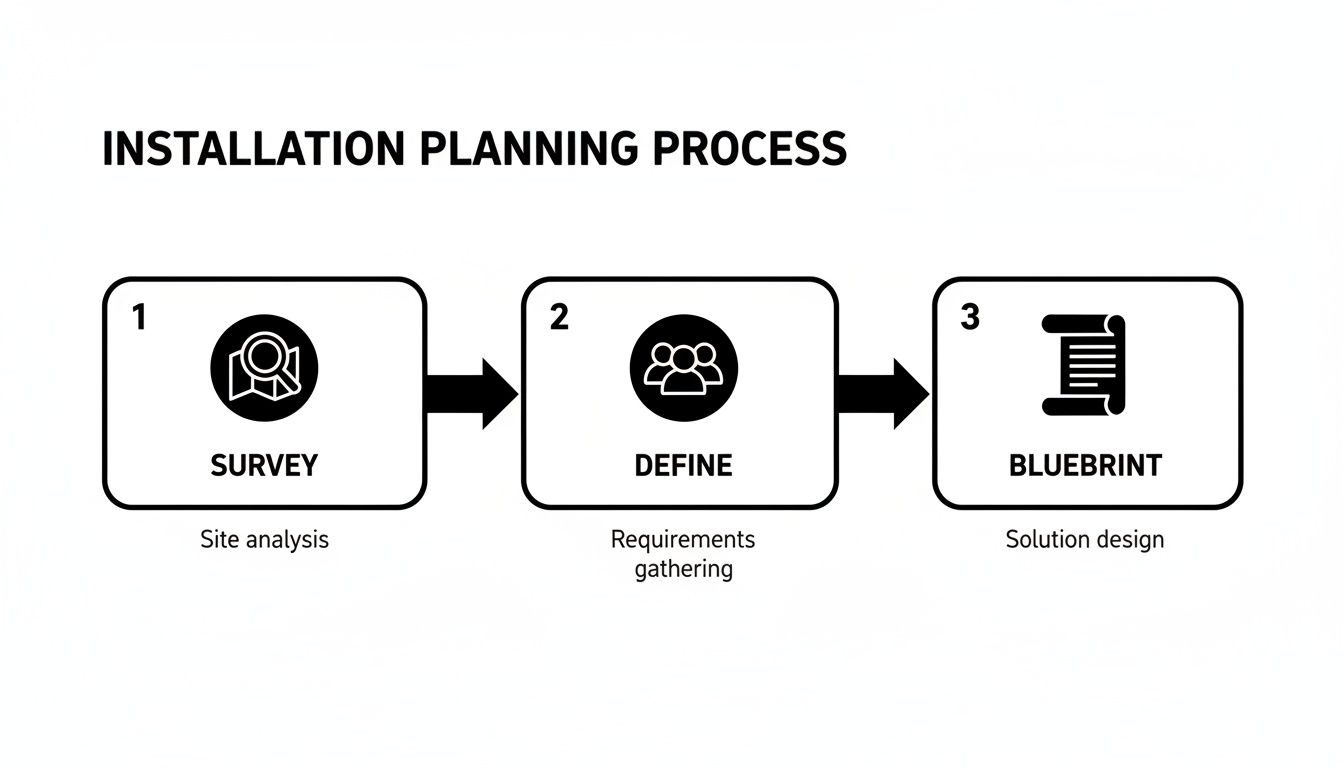
As you can see, a successful project flows logically from surveying the site, to defining what the users need, and finally, to creating the technical blueprint.
Understanding the Commercial Landscape
This methodical approach is mirrored in the industry's own growth. The UK access control market has seen a huge expansion, with its value projected to be around £440 million in 2025. That's a massive jump from £250 million in 2023, representing a compound annual growth rate of 7%.
The commercial sector is the real engine here, making up about 55% of the market. This demand is driven by the complex security needs of office blocks, retail parks, and hotels, particularly in our major cities.
By putting in the time upfront at this foundational planning stage, you create a strategic blueprint that guarantees your system will provide watertight protection and lasting value.
Choosing the Right Hardware for Your Premises
With your site plan and requirements mapped out, it's time to get into the nuts and bolts of the system: the hardware itself. This is where your strategy becomes tangible. Picking the right equipment isn't about buying the most advanced tech; it’s about making deliberate choices that directly address the risks and day-to-day operational needs you've already identified. This hardware is the physical backbone of your security, so every piece counts.
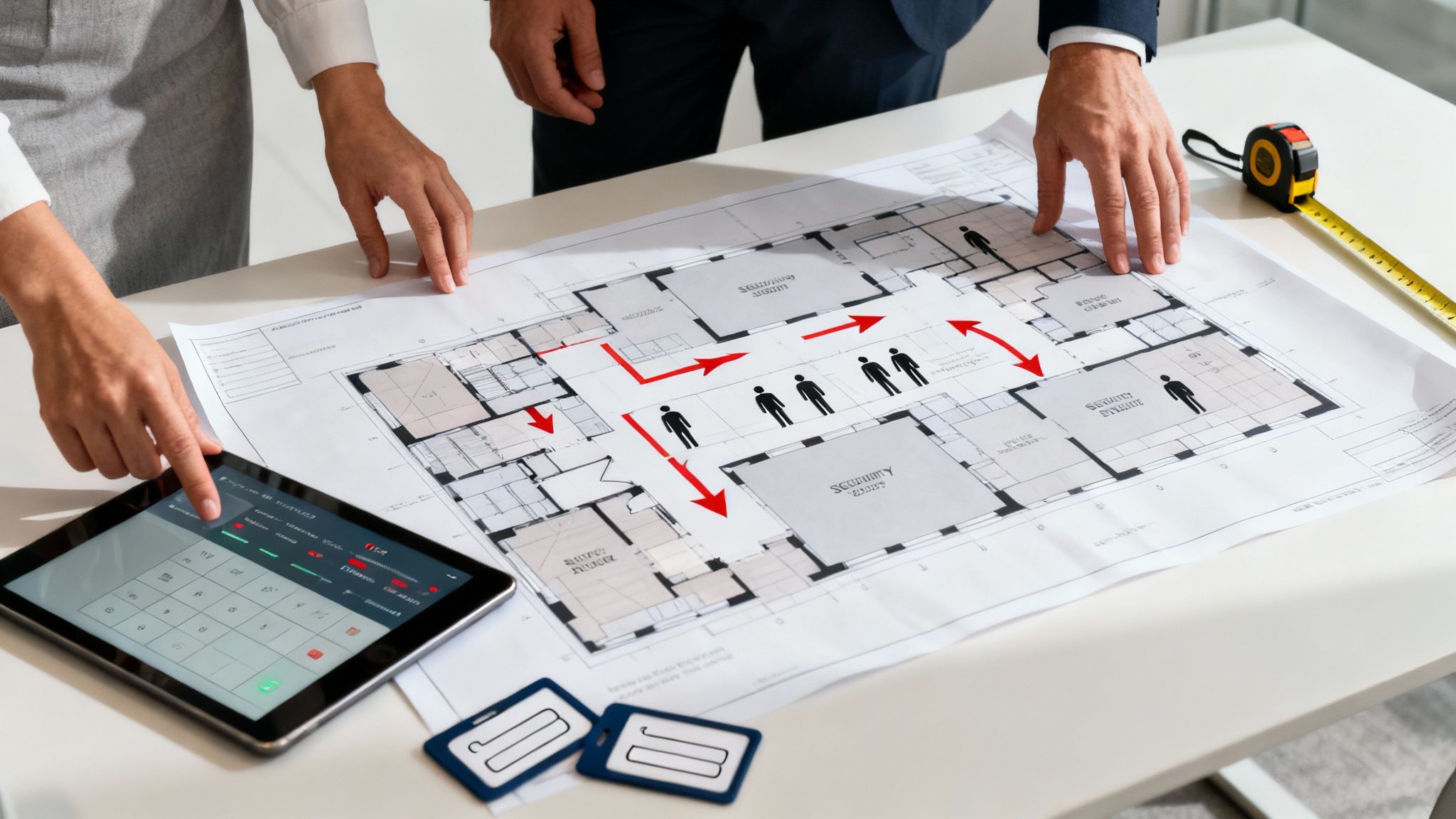
At the core of it all is the system controller. I always describe this as the brain of the operation. It’s the device that takes the signal from a card reader, checks the user’s permissions against the rules you’ve configured, and then tells the door lock whether to open or stay shut. A single controller might manage one door or an entire cluster of them, logging every single event for audit purposes.
The readers are the parts of the system people will actually see and touch every day. They're the gatekeepers, responsible for reading a credential and verifying someone's identity before letting them through.
Selecting the Right Readers
The reader technology you select directly shapes both your security posture and the user experience. There’s a constant trade-off between security and convenience, and each type of reader fits a different piece of the puzzle.
- Proximity Card/Fob Readers: These are the reliable workhorses of access control. Using RFID or NFC, they're cost-effective, durable, and straightforward to manage. I find they're the go-to for general office doors, staff entrances, and areas where quick, easy access is the priority.
- Keypad Readers: A simple PIN code offers a keyless solution. The big drawback, of course, is that PINs can be shared, forgotten, or even spotted by a shoulder-surfer. That makes them a better fit for lower-risk internal doors, or perhaps as a second factor of authentication alongside a card.
- Biometric Readers: When you absolutely cannot compromise on security—think data centres, labs, or sensitive archives—biometrics are the gold standard. Fingerprint, facial recognition, or iris scanners confirm a unique physical trait that can’t be lost, stolen, or shared.
- Mobile Credentials: Using a smartphone as a virtual key is a game-changer. It simplifies credential management immensely (no more replacing lost fobs) and offers fantastic convenience. It's rapidly becoming the norm in modern corporate and high-end residential settings.
This shift towards more advanced technology is reflected in the market. The UK's access control sector generated around £435 million this year and is on track to hit over £690 million by 2030, growing at an annual rate of 8.1%. This growth isn't just about more doors being secured; it's about the widespread adoption of cloud-based systems, mobile access, and biometrics. If you're interested in the numbers, you can explore detailed market growth insights here.
Comparing Access Control Reader Technologies
To help you decide, here’s a quick breakdown of the most common reader technologies. Think about how each one aligns with the specific doors you need to secure.
| Reader Type | Security Level | User Convenience | Typical Application | Integration Capability |
|---|---|---|---|---|
| Proximity Card/Fob | Medium | High (quick tap-and-go) | General office doors, car parks, staff entrances | High |
| Keypad (PIN) | Low-Medium | Medium (requires memory, slower than a tap) | Low-security internal doors, secondary verification | Medium |
| Biometric | Very High | Medium (requires precise placement, can be slower) | Data centres, server rooms, labs, archives | High |
| Mobile Credential | High | Very High (uses a device people always carry) | Corporate offices, flexible workspaces, residential | Very High |
| Long-Range Reader | Medium | Very High (hands-free vehicle access) | Gated entrances, car park barriers, loading bays | Medium |
Ultimately, the best choice depends entirely on the specific access point. A long-range reader is perfect for a car park barrier but makes no sense for a server room, where a biometric reader would be a much better fit.
Getting to Grips with Locking Mechanisms
The final piece of the physical puzzle is the lock itself. The controller can approve access all day long, but it’s the lock that actually secures the door. This choice is critical not just for security, but also for meeting fire safety regulations.
The two most common electronic locks you'll encounter are:
- Magnetic Locks (Maglocks): These use a powerful electromagnet to hold a door shut against a steel plate. Their biggest advantage is their sheer strength and simplicity—with no moving parts, they're incredibly durable. Crucially, they are 'fail-safe', meaning they release when power is cut. This is vital for fire escape routes but a security risk to consider during a power outage unless you have battery backup.
- Electric Strikes: These are fitted into the door frame and replace the standard strike plate. They work with the door's existing mechanical latch and can be set up as either 'fail-safe' (unlocks on power loss) or 'fail-secure' (stays locked on power loss). This flexibility makes them suitable for a much wider range of applications.
The key takeaway is that your hardware choices must create a cohesive system. A biometric reader on a flimsy door with a weak lock is a wasted investment. Each component—controller, reader, and lock—must be chosen to complement the security level of the area it protects.
Finally, always think about the bigger picture. Your hardware selection must align with your integration goals. Before you buy, confirm that your chosen components can talk to your CCTV, intruder alarm, and fire systems. This foresight is what turns a collection of individual devices into a truly intelligent and responsive security network that protects your site effectively.
The Hidden Infrastructure: Cabling and Power
You can have the most sophisticated biometric readers and toughest locks on the market, but they're completely useless without the right infrastructure sitting behind them. An access control system is only ever as strong as its weakest link, and more often than not, that weak link is the unseen network of cables and power supplies.
Getting this foundation right from the very beginning is non-negotiable. It's the difference between a system that's reliable and secure for years to come, and one that's plagued with problems.
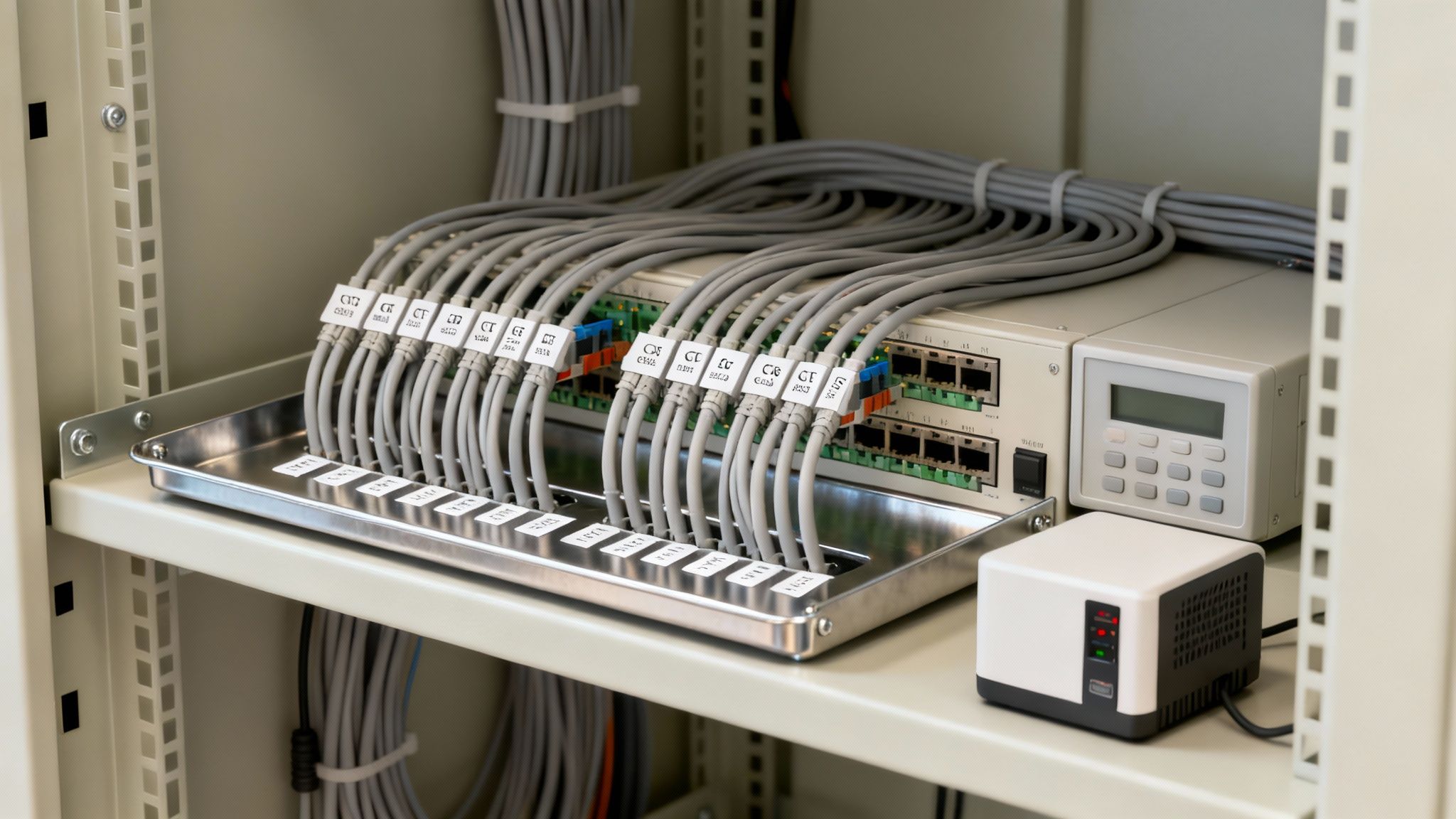
The backbone of any modern system is, of course, its cabling. I’ve seen clients tempted to repurpose old wiring to shave a bit off the budget, but this is almost always a false economy. Using low-quality or incorrect cables is just asking for trouble—you'll get data corruption, readers that fail intermittently, and all sorts of ghost-in-the-machine faults that are a nightmare to diagnose.
That's why specifying the right type of structured cabling from day one is so important.
Choosing the Right Cables for the Job
For pretty much any IP-based access control system today, CAT6 (Category 6) cable is the industry standard, and for good reason. It has the bandwidth needed for solid communication between readers, controllers, and the server. Plus, its twisted-pair design does a great job of cutting down on electromagnetic interference.
Think of it like this: running your access control data over old, unshielded alarm wire is like trying to have a quiet conversation on the hard shoulder of the M25. The constant 'noise' from nearby power lines or other electrical gear can easily disrupt the signal, causing the system to fail at the worst possible moment.
A professional installation is all about meticulous cable management. This means routing data cables well away from high-voltage power lines, using proper trunking to shield them from physical damage, and labelling every single connection clearly. This kind of discipline not only protects the system's integrity but also makes future maintenance and troubleshooting a whole lot easier.
Ensuring Uninterrupted Power and Security
Power is the absolute lifeblood of your access control system. A momentary power cut shouldn't leave your entire building vulnerable. This is where a dedicated, resilient power strategy becomes absolutely critical, especially for places like data centres, hospitals, or high-value commercial sites.
The cornerstone of this strategy is the Uninterruptible Power Supply (UPS). A UPS is essentially a big battery backup that kicks in the instant mains power fails. It keeps your controllers and electric locks running, making sure your site stays secure until the power comes back on. Without a UPS, a simple outage could cause fail-safe maglocks to disengage, leaving your most important doors swinging open.
We bolster this resilience by using dedicated power supplies for different system components, which prevents a single point of failure from taking down the whole network.
On-Premise vs Cloud-Based Systems
A big decision that directly impacts your infrastructure is whether you go for an on-premise or a cloud-based management system.
- On-Premise Systems: This is the traditional approach. The main server and database are physically located on your site. Your IT team gets total control over the data and hardware, but that also means they're responsible for all the maintenance, security patches, and backups. It demands a dedicated, climate-controlled space and a hefty upfront investment.
- Cloud-Based Systems: With this model, the management software is hosted by the provider and you access it over the internet. This drastically cuts down the on-site hardware, lowers initial costs, and outsources all the tedious maintenance and software updates. The catch? You're reliant on a stable internet connection for real-time admin, although most good systems are designed to keep working locally if the connection drops.
Which one is right for you will come down to your organisation’s IT policy, security posture, and budget. For businesses needing high-speed, reliable connectivity to support cloud systems or link multiple sites, looking into advanced networking is a smart move. You can see how modern networking underpins security by reading about our fibre technology services.
Ultimately, whether you choose on-premise or cloud, the physical cabling and power infrastructure on the ground has to be flawless. It's the only way to guarantee your system is robust, compliant, and always on.
Tying It All Together: Why Integration is Key
An access control system that only opens doors is a missed opportunity. Gone are the days of siloed security measures; a modern, effective system should be the central hub of your building's intelligence, talking to all the other critical systems. When you move beyond standalone functionality, you unlock the real power of your investment, turning a simple security tool into a proactive operational asset.
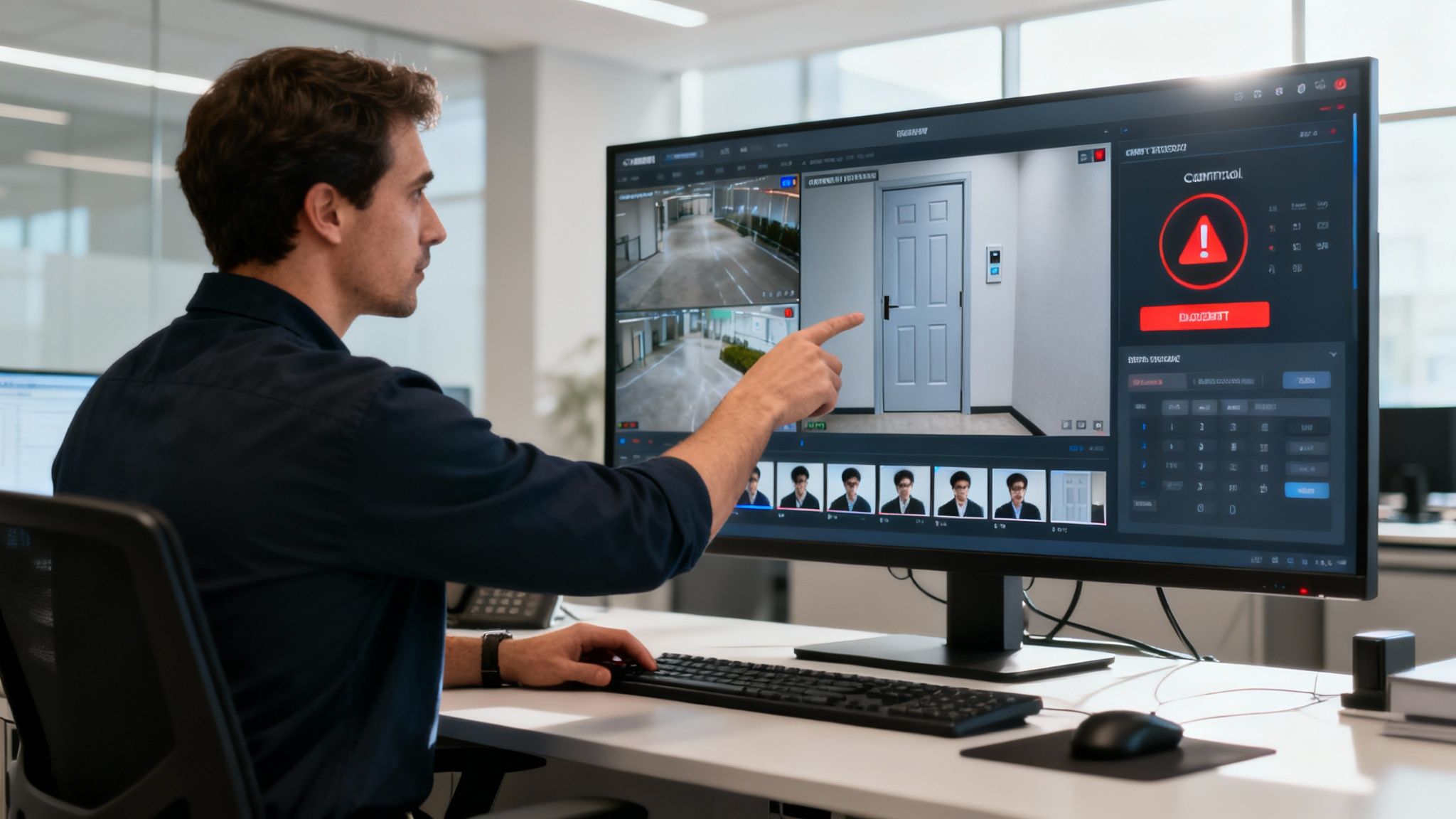
This synergy creates a smarter, more responsive environment. Think about it: a "door forced open" event shouldn't just trigger a screeching local sounder. In a properly integrated setup, that one alert can kick off a chain reaction. The nearest CCTV camera can instantly pan, tilt, and zoom to the door, high-quality recording can begin, and an alert with a video snapshot can land on your security team's phones in seconds.
This cause-and-effect automation is the bedrock of modern security. Any access control system installation that overlooks these integration possibilities is leaving a huge amount of value on the table.
The Must-Have Security Integrations
For safety, compliance, and sheer common sense, some integrations are simply non-negotiable. Connecting your access control to your fire and intruder alarms is a prime example.
- Fire Alarm Integration: This is probably the most critical link of all. If a fire alarm is triggered, the system has to automatically unlock doors on designated escape routes. This is a life-safety essential and a core requirement under UK fire safety regulations, ensuring people can get out unimpeded.
- Intruder Alarm Integration: Linking these two systems makes day-to-day operation much smoother. For example, when the last authorised person badges out of an area, the intruder alarm for that zone can be set automatically. In the morning, the first person badging in can disarm it, which drastically cuts down on frustrating false alarms.
- CCTV and Video Management Systems (VMS): As I mentioned, this is all about giving you eyes on the event. It provides immediate visual verification, allowing your team to see exactly what's happening when an access event occurs—whether that's a routine entry or a more serious breach like repeated failed swipe attempts.
A quick tip from experience: always think about integration right from the start of the design phase. Trying to retrofit these connections later is almost always more difficult and expensive. Planning early ensures all the systems can talk to each other without any headaches from day one.
Beyond Security: Boosting Operational Efficiency
A fully integrated system doesn't just improve security; it can have a direct, positive impact on your operational efficiency and bottom line. This is especially true when you connect access control to a Building Management System (BMS).
A BMS is effectively the brain of a modern commercial building, controlling everything from the heating and air conditioning to the lighting. By feeding it live occupancy data from your access control system, you can start making some seriously smart optimisations.
Imagine what's possible:
- The first person to badge into the office in the morning automatically triggers the BMS to switch on the lights and bring the heating up to a comfortable level.
- When the system registers the last person has left for the day, it powers down all non-essential lighting and sets the heating back, saving a significant amount of energy overnight.
This kind of data-driven control means you're only using resources when and where they're actually needed, which helps reduce your building's carbon footprint and running costs. To get a better feel for how these different pieces of the puzzle fit together, it’s worth looking into the principles of professional security system integration.
By treating your access control system as the intelligent core of your building, you transform it from a simple lock-and-key replacement into a powerful asset that makes your premises safer, smarter, and far more efficient.
Commissioning Your System for Go-Live Confidence
So, the last cable is run and the final reader is mounted. You might think the job is done, but the most crucial phase of your access control system installation is just beginning. This is the commissioning stage—where we stop talking theory and start testing reality. It’s a hands-on, rigorous process to make sure every single component works exactly as it should before the system goes live.
Skipping or rushing this part is a classic mistake, and one that often leads to annoying faults, security holes, and frantic calls later on. This isn't just a quick once-over; it's a methodical shakedown of the entire system, piece by piece, to ensure that when you flip that switch, you have absolute confidence in your new security setup.
A Practical Checklist for System Verification
You can't just wing it. A structured testing plan is the only way to make sure nothing gets overlooked. Your commissioning checklist needs to be granular, covering everything from day-to-day use to worst-case emergency scenarios.
We always focus on these core areas:
- Individual Component Functionality: Does every reader correctly scan its designated credential, whether that’s a fob, a card, or a mobile pass? We physically test each one. Do the maglocks and electric strikes engage with a solid clunk and release instantly on command?
- Access Level Confirmation: This is where we play out real-world scenarios. We’ll use a test card for the marketing team—does it open their office door but get rejected at the server room? We’ll check if a temporary visitor pass automatically expires at 5 pm on Friday, just as programmed.
- Alarm and Trigger Testing: Time to see how the system reacts under pressure. We’ll simulate a "door forced open" event to ensure it triggers the right alarm in the software and sends an alert. What happens after three failed badge swipes at a high-security door? It should flag the event immediately.
- Integration Performance: This is a big one. If we trip the fire alarm, do all the designated fire escape doors unlock automatically for safe egress? When an access alarm is triggered, does the linked CCTV camera immediately start recording high-quality footage of that specific door?
Of course, none of this matters if the wiring isn't perfect. That's why testing continuity with a multimeter is a non-negotiable step to verify every electrical connection is solid before we even think about signing off.
The following checklist provides a robust framework for systematically testing every part of your new access control system, ensuring no stone is left unturned before it goes live.
Essential Commissioning Checklist for Access Control Systems
| Test Category | Check Point | Expected Outcome | Status (Pass/Fail) |
|---|---|---|---|
| Hardware & Devices | Verify power to all controllers, readers, and locks. | All devices powered on with stable voltage readings. | |
| Test each reader with valid and invalid credentials. | Valid credentials grant access; invalid credentials are denied with an alert. | ||
| Manually test door position switches and request-to-exit buttons. | System correctly reports door status and allows egress. | ||
| Software & Access | Confirm access schedules are functioning (e.g., time-of-day restrictions). | Access is granted/denied according to the defined time windows. | |
| Test different user roles and access levels across all doors. | Users can only access areas permitted by their specific profile. | ||
| Alarms & Events | Simulate a "door forced open" alarm. | An alarm is generated in the software and notifications are sent. | |
| Simulate a "door held open" alarm. | An alarm triggers after the pre-set time limit expires. | ||
| Integrations | Trigger a fire alarm to test fail-safe lock release. | All designated fire escape doors unlock immediately. | |
| Trigger an access event and verify corresponding CCTV recording. | The linked camera bookmarks the video footage of the event. | ||
| System Admin | Test remote system access and mobile app functionality. | Administrators can securely log in and manage the system remotely. |
Completing this checklist methodically provides the evidence and assurance that the system is not only installed correctly but is also fully prepared for its operational role.
The Importance of a Thorough Handover
Once every test is passed and documented, the project shifts to the final, critical stage: the handover. A rushed handover is a recipe for disaster. Any professional installer worth their salt will provide a comprehensive documentation pack that essentially becomes your system’s bible.
A detailed handover isn't just about ticking a box; it's about empowering your team to own and manage the system effectively from day one. It transforms a complex installation into an intuitive, user-friendly tool that enhances your daily operations.
This handover pack absolutely must contain:
- As-Built Drawings: Not the original plans, but updated diagrams showing the exact final locations of every reader, controller, power supply, and cable run. These are invaluable for future troubleshooting.
- System Configuration File: A complete digital backup of the final system settings—all user groups, access levels, schedules, and custom rules.
- Administrator and User Manuals: Clear, straightforward guides for the system managers and simple instructions for the everyday users.
- Maintenance Schedule and SLA: A clear outline of recommended maintenance checks and the full details of your service level agreement for support.
Empowering Your Team with User Training
Finally, and I can't stress this enough, the handover must include proper user training. The most advanced system in the world is useless if your team doesn't know how to operate it.
Your facilities and security staff need in-depth training on the management software. They should leave feeling confident about adding new users, changing access rights, running reports to see who went where and when, and handling basic troubleshooting.
For everyone else, a simple briefing is all that’s needed. They just need to know how to use their key card or fob, what to do if they lose it, and who to call for help. This simple knowledge transfer prevents a flood of support calls and makes sure your successful access control system installation is a true operational success from the very first day.
Your Top Questions About Access Control Installation Answered
Even with the best-laid plans, you’re bound to have questions when you’re looking at a new access control installation. I’ve heard them all over the years from facilities managers and business owners, so let’s tackle the most common ones head-on.
Getting these details ironed out early on is the key to a project that runs smoothly, from the first day on-site to the final handover.
How Long Will the Installation Actually Take?
This is the classic "how long is a piece of string?" question. Honestly, it all comes down to the size and complexity of your site.
For a small office with maybe five doors and a standard setup, a good team can usually get everything done in one to three days. That covers fitting the readers and locks, running the necessary cables, and getting the system up and running.
But if you’re looking at a multi-floor office block, a hospital, or a sprawling school campus, it’s a whole different ball game. A project with hundreds of doors, custom integrations with your CCTV and fire alarms, and complex network requirements could easily take several weeks, sometimes even months. The only way to get a firm timeline is from a thorough site survey.
Cloud-Based vs. On-Premise Systems: What’s the Real Difference?
The main distinction is simple: where does the system's brain live? Is it on your site, or is it in the cloud?
- On-Premise Systems: This is the traditional route. You have a dedicated server in your comms room that runs the software and stores all the data. Your IT team has full control, which some organisations prefer, but they're also on the hook for all the maintenance, software updates, and keeping it secure.
- Cloud-Based Systems: With this approach, the software is hosted by the provider and you access it through a web browser or an app. It generally means lower upfront costs for hardware, you get software updates automatically, and you can manage your system from anywhere with an internet connection.
Which one is right for you? It really depends on your IT policies, your budget, and whether you value direct control over convenience. Cloud systems usually come with a monthly or annual subscription, whereas on-premise requires a bigger chunk of capital upfront.
Can a New System Work with My Existing Security?
In most cases, absolutely. Modern access control systems are built to play nicely with others. They use common communication protocols and APIs (Application Programming Interfaces) to link up with other security platforms.
Any professional installer worth their salt will start by looking at your current CCTV, intruder alarms, and even building management systems to check for compatibility. This is where you can get some incredibly powerful security automations working for you.
A great example is setting up a rule where a "door forced open" event instantly triggers the nearest CCTV camera to start recording and simultaneously pushes an alert with video footage to the security manager's phone. This is why it’s so vital to talk about integrations right at the start.
What Kind of Maintenance Does an Access Control System Need?
Think of it like a car. You wouldn't expect it to run forever without a service, and your access control system is no different. Preventative maintenance is crucial for keeping it reliable year after year, and a solid Service Level Agreement (SLA) is the best way to manage this.
Typically, an SLA will include bi-annual visits from an engineer to physically check all the hardware. They’ll do things like clean the reader heads, test the holding force of magnetic locks, check the battery backups, and make sure everything is mechanically sound.
Beyond the hardware, a good SLA will also cover essential software updates and security patches to protect you from cyber threats. Just as importantly, it gives you priority access to technical support and guarantees an engineer will be on-site within a specified time if something does go wrong, keeping any downtime to an absolute minimum.
At Amax Fire & Security Ltd, we don’t just install systems; we build robust, reliable security solutions designed around how your organisation actually works. From the initial survey to ongoing support, our team has the expertise to protect what matters most. Discover our advanced security solutions and let's create a safer environment, together.